
Tell me where you're at. I'll point you to the right place.

A teacher who gets it - because he's still in it.
I've been teaching in primary and secondary schools since 2011. Early on I saw how the right tools could lift engagement and learning - not replacing good teaching, but backing it up.
So I built Evolve EdTech and the Empowered Educator Hub: a place to grow your skills, confidence and impact, inside the classroom and beyond it. Everything I share, I've tested with real students first.


Visionary EdTech Leaders Shaping Education, 2026 Vol 2
Tristan features on the cover of EliteX's October 2026 edition as "The Working Teacher Making EdTech Practical".
Read the article
Everything you need to take your next step.
Free to start. Go deeper when you're ready.




Real teachers. Real classrooms.
The Hub has helped me feel much more confident using AI and EdTech in my classroom. Everything is practical, easy to follow and designed with busy teachers in mind.
I love that I can find ideas I can actually use straight away. The resources have saved me planning time and encouraged me to try tools I probably wouldn't have explored otherwise.
The templates and AI ideas have been incredibly useful. I can take an idea from the Hub, adapt it for my students and have something ready to use without spending hours creating it myself.
The Hub has given me plenty of ideas that I can share with staff. The resources are clear, approachable and useful for teachers with very different levels of confidence with technology.
I don't have hours to spend learning complicated new platforms. The Hub gives me simple ideas, useful resources and practical guidance that I can fit around everything else teachers have to do.
The Hub feels like professional learning I can access when I actually need it. I've found plenty of ideas that I can use myself and then share with the teachers I support.

Imagine walking into class each day completely confident in the tools you use.
Your lessons are engaging, your students are motivated, and your time is spent teaching - not troubleshooting. You have a library of resources at your fingertips and a community of educators who get it.
This isn't just about technology. It's about feeling proud of the learning you create, and knowing you're preparing your students for the future.
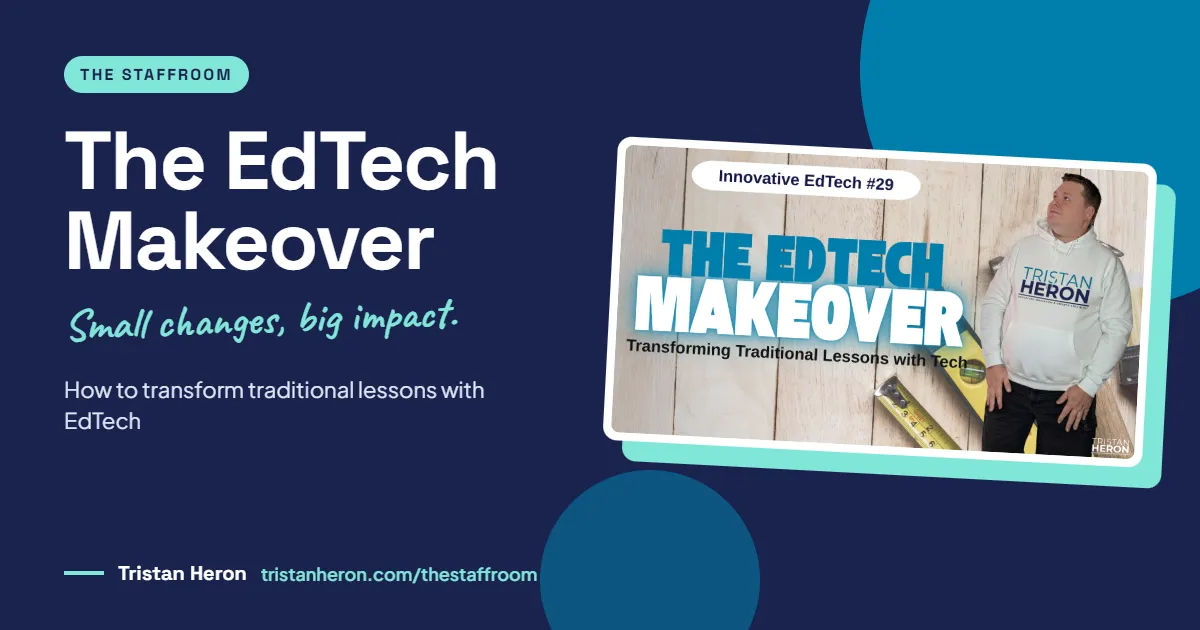
How to Transform Traditional Lessons With EdTech: 5 Small Changes That Make a Big Impact
The worksheet. The board full of notes to copy. The "does everyone understand?" met with a room of polite nods.
If those feel familiar, you're not doing anything wrong. But if you want to transform traditional lessons with EdTech without blowing up your workload, the answer isn't more technology. It's asking a better question before you open a single app.
What does a "traditional" lesson look like in 2026?
I went back to school after the spring break this term, and our principal stood up and asked us to think hard about what teaching looks like now. We've moved through the tech age and straight into the age of AI. The world our students are walking into has changed a lot.
So let's be honest about what a lot of our classrooms still lean on:
Long teacher explanations, with us as the expert at the front
Worksheet after worksheet, so we've got the evidence
Students copying notes word for word from the board or slides
Whole-class questioning, where the same few hands go up
One-size-fits-all activities with little differentiation
End-of-topic tests as the main measure of learning
I've done every one of these. Copying notes was the big thing when I was at school.
None of these approaches are wrong. Explicit teaching has real value. So do worksheets and well-timed questioning. But technology now lets us expand what's possible, and that's the exciting part.
Why should we transform lessons with EdTech at all?
Used with purpose, technology helps us build lessons that are more engaging, interactive, personalised, accessible, collaborative, creative, authentic and responsive.
That doesn't always mean students on devices. Sometimes it's the teacher using one device to present, model or run a quiz.
And the goal is not more technology. The goal is better learning experiences.
Think about the overhead projector. Photocopiers. The internet arriving in classrooms. Each one made teaching a little better. The tools in front of us now are the next step in the same story.
Ask a better question first
Stop asking, "What technology should I use today?"
Start asking: "What learning problem am I trying to solve?"
You're not bringing in a tool because you saw it on Instagram or TikTok, or because a visiting EdTech coach demoed it. You're bringing it in because it supports the learning intention.
Here's my favourite example. I had a low-ability class who needed to create a graphic novel excerpt. I knew they weren't going to sit down with a pencil and eraser and draw one. So I trialled Pixton, an online comic creator.
One young boy who rarely gave me much in class actually created something. Was it polished? No. But he made a comic that showed me he'd taken real skills away from the unit.
That's technology supporting the learning intention. You don't need every new tool on the market. You need the right one for the job.
Strategy 1: How do we replace passive learning with active learning?
Traditional lessons often have students listening, reading and completing the same task. The shift here is moving students from consumers of information to creators of knowledge.
Small changes that make a difference:
Investigate and explore ideas through project-based learning, where students work on a big question and find a solution
Create videos, podcasts or infographics using tools like Canva or Google Vids (Google's video creation tool in Workspace)
Collaborate in real time in a shared Google Doc
Share thinking and get feedback through features like the question function in Google Classroom
Reflect digitally with quick exit tickets, short videos or infographics
Solve real-world problems with authentic tasks, which AI can help you design for any learning area
A few years ago, in the COVID era, a colleague and I had our Year 11 class study the podcast Serial, then create their own podcasts as an assessment. It's still one of the best tasks I've ever run. Every student was involved. Some were rough. One sounded like someone had paid a professional to edit it.
Another early win: my first Year 11 Advanced English class built a shared Google Doc on Fahrenheit 451, with summaries, examples and analysis. Everyone had input.
Simple swaps to try:
Instead of... | Try... |
|---|---|
Reading a plain text | A Canva infographic, Adobe Express, Book Creator, Google Slides or PowerPoint |
Answering worksheet questions | An interactive quiz, a collaborative doc, a digital escape room, or student-made videos |
Don't write off Slides and PowerPoint. They're entry-level, but they're functional and they get students creating.
For quizzes, I love Baamboozle because it only needs one teacher device. And if you caught the Tech-Ready Teacher Digital Conference, one session showed how to build digital escape rooms with ChatGPT and Google Forms. You can find recordings at tristanheron.com/pastevents.
Picture students creating a short video on each chapter of a novel or each syllabus dot point, then compiling them in your learning management system as a class resource.
The goal isn't to remove explicit teaching. It's to create more chances for students to apply, demonstrate and extend what they've learned.
Strategy 2: How can we increase student voice and choice?
This one's personal. After 16 years, it's easy to say, "This is how I've always done it." This year some students told me an activity didn't work. I reflected, and they were right. It needs to change.
Traditional lessons ask everyone to complete the same task the same way. Technology makes it much easier to offer meaningful choices that match students' strengths, interests and creativity.
Options worth offering:
A video or short documentary made in Google Vids, which most Google Workspace schools already have
A podcast or interview, where natural tangents let creativity come through
An infographic, poster or digital book in Canva, Book Creator, Slides or PowerPoint, mixing text, images, audio and video
A website or portfolio in Google Sites, a drag-and-drop builder where students decide the design, tabs and links
A digital choice board, with interactive tiles leading to each activity (I built one in Google Sites in an earlier Innovative EdTech episode)
We don't all need to sit a test, write an essay or make a poster. It's not about us. It's about students showing their understanding in the way that works best for them.
This isn't unlimited choice. Twenty options for one task is unrealistic, and too many choices overwhelm students. Offer two or three, plus an invitation: "If you'd like to try something else, come and talk to me." Same outcomes, more engagement.
Strategy 3: How do we make collaboration work for every student?
We all know traditional group work. One or two students carry the load and the rest sit back. (Confession: I'm the one who sits back.)
Digital tools make collaboration visible, so every student has a chance to contribute.
Ways to build it in:
Shared documents or presentations
Brainstorming on a digital board such as Padlet
Small groups solving a set problem
Real-time peer feedback (context-dependent, but powerful)
Shared projects on cloud tools like Google Workspace or Microsoft 365, from any device
Structures that make sure every voice is heard, including the quiet kids
I recently posted a question on a Padlet board with a Year 12 class. Some students added two or three responses. It felt collaborative without being intimidating.
I was one of those quiet students. I learned by listening, but that didn't mean my voice was heard. Digital tools give those students another way in.
Examples across the year levels:
Year 3 science: small groups create a digital poster or slideshow on an animal's habitat in Canva or Google Slides, with each student owning one section
Year 8 maths: students tackle challenging problems on a shared whiteboard like FigJam or Canva Whiteboards, explaining their thinking and comparing strategies (brilliant with a stylus on a tablet or 2-in-1)
Year 10 history: students research different perspectives on an event, then record a collaborative podcast as historians or eyewitnesses
The goal isn't putting students in groups. It's creating meaningful opportunities for everyone to contribute and learn from each other.
If you want a hand building these strategies into your own lessons, step by step, that's exactly what we do inside the Empowered Educator Hub. Practical support, ready-made resources and a community of teachers working it out together.
Strategy 4: How can we make student thinking visible?
"Does everyone understand?" Nods all round. But does every student actually get it? Probably not.
Traditional classrooms rely on a few students answering. Digital tools let every student respond, which tells us where to go next.
Ways to make thinking visible:
Live polls and quizzes, such as Poll Everywhere, which I used early in my career and plan to revisit in 2027
Exit tickets and digital reflections, low-stakes and private
Instant formative assessment with immediate feedback through Wayground or Google Forms
Adapting teaching in real time, starting simply by using exit ticket results to shape the next lesson
AI-generated differentiated follow-ups, for example extension work that moves students from simple sentences to compound and complex ones
Interactive Q&As and discussion boards like Padlet
Formative assessment tools worth knowing:
MagicSchool AI: an AI assistant for creating differentiated formative assessment resources
EdCafe AI: an AI-based tool that's quick to set up for formative tasks
Google Forms and Microsoft Forms: I once used Google Forms for a grammar pre-assessment, and the data told me exactly where to start the unit
Wayground: interactive activities with strong accessibility, differentiation and feedback features
Gimkit and Kahoot!: gamified quizzes that double as formative assessment
Nearpod and Pear Deck: interactive lessons with built-in checks (Pear Deck kept my Year 11s engaged during COVID)
Mentimeter: live polls and responses
Many of these need student devices. If you don't have one-to-one access, plan strategically, and remember some polls and quizzes work with a single device.
We're not collecting data for data's sake. We're gathering meaningful evidence that helps every student move forward. Even tiny growth is a huge achievement.
Strategy 5: How do we create authentic learning experiences?
Most classroom work is completed for the teacher, handed in and ticked off. Technology lets students create work with a genuine purpose and a real audience.
Ways to make learning authentic:
A website or digital campaign
Videos or podcasts
Community awareness projects or presentations
Connecting with experts or other classrooms online
Digital portfolios showing the journey from idea to draft to feedback to final product
Project-based learning that solves real-world problems
In my first high school, my Year 8 or 9 geography class (I can't remember which) pitched a site for the World Heritage Register to a panel of staff, who decided which nominations would "succeed". A real issue, turned into an authentic experience.
At our school, a scientist recently joined over Zoom to speak with students interested in that field. Hearing from an expert lands differently to reading about one.
Two quick makeovers:
Primary: instead of a persuasive letter about the local environment that only you read, small groups create a digital awareness campaign in Canva or Adobe Express and share it with another class, at assembly or on school channels
Year 9 geography: instead of a sustainability poster, students design social media tiles, a community information website or a promotional video in Google Vids, then present to school leaders or local groups
Students want to know why what we're doing matters. "Just because" isn't good enough anymore.
The goal isn't to use technology. It's to prepare students for life beyond the classroom as active, informed citizens.
Key Takeaways
Technology should enhance learning, not distract from it. Pedagogy comes first.
Start with one small, manageable change. Not your whole programme at once.
Give students greater voice and choice. If that idea makes you twitch, that's worth sitting with.
Make learning visible and collaborative so every student contributes.
Create authentic learning experiences that connect to life beyond the school gate.
Great lessons don't need more technology. They need technology used with purpose.