
Tell me where you're at. I'll point you to the right place.

A teacher who gets it - because he's still in it.
I've been teaching in primary and secondary schools since 2011. Early on I saw how the right tools could lift engagement and learning - not replacing good teaching, but backing it up.
So I built Evolve EdTech and the Empowered Educator Hub: a place to grow your skills, confidence and impact, inside the classroom and beyond it. Everything I share, I've tested with real students first.


Visionary EdTech Leaders Shaping Education, 2026 Vol 2
Tristan features on the cover of EliteX's October 2026 edition as "The Working Teacher Making EdTech Practical".
Read the article
Everything you need to take your next step.
Free to start. Go deeper when you're ready.




Real teachers. Real classrooms.
The Hub has helped me feel much more confident using AI and EdTech in my classroom. Everything is practical, easy to follow and designed with busy teachers in mind.
I love that I can find ideas I can actually use straight away. The resources have saved me planning time and encouraged me to try tools I probably wouldn't have explored otherwise.
The templates and AI ideas have been incredibly useful. I can take an idea from the Hub, adapt it for my students and have something ready to use without spending hours creating it myself.
The Hub has given me plenty of ideas that I can share with staff. The resources are clear, approachable and useful for teachers with very different levels of confidence with technology.
I don't have hours to spend learning complicated new platforms. The Hub gives me simple ideas, useful resources and practical guidance that I can fit around everything else teachers have to do.
The Hub feels like professional learning I can access when I actually need it. I've found plenty of ideas that I can use myself and then share with the teachers I support.

Imagine walking into class each day completely confident in the tools you use.
Your lessons are engaging, your students are motivated, and your time is spent teaching - not troubleshooting. You have a library of resources at your fingertips and a community of educators who get it.
This isn't just about technology. It's about feeling proud of the learning you create, and knowing you're preparing your students for the future.
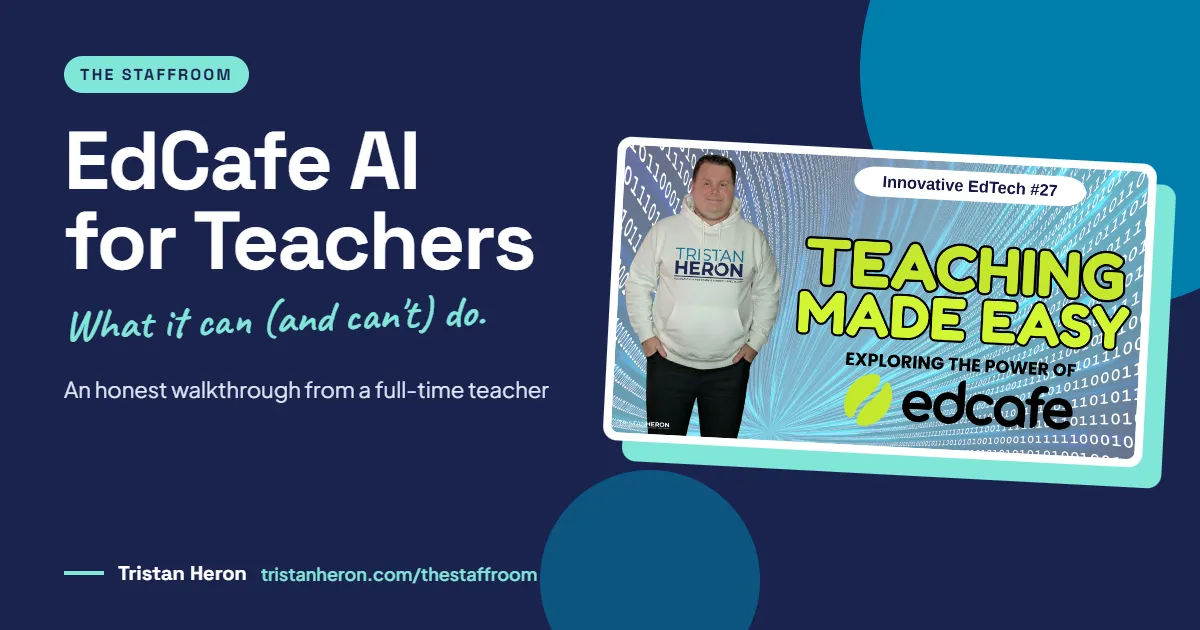
EdCafe AI for Teachers: An Honest Walkthrough of What It Can (and Can't) Do
Planning, differentiating, assessing, giving feedback, emailing parents, admin. We wear a lot of hats, and most of the repetitive work sits under them.
EdCafe AI for teachers promises to take some of that repetitive load off. I spent an Innovative EdTech episode clicking through it live, mistakes and all. Here's what I found, what impressed me, and where it fell short.
Why are teachers turning to AI tools like EdCafe AI?
I'm still in the classroom full-time, 16 years in, and the job keeps growing. On any given week we're expected to:
Plan engaging lessons for students whose attention is harder to hold than ever
Differentiate for a wide range of needs and adjustments
Create assessments and track growth
Build worksheets, workbooks and digital resources
Make presentations (mine are for visuals, instructions and examples, not slabs of text to copy)
Give meaningful feedback, which on 30 three-page essays is a serious time sink
Communicate with parents, who expect more contact than ever
Keep on top of admin, from attendance to records to policy
AI isn't here to replace your expertise. It's here to reduce the repetitive work so more of your time goes into teaching.
A slide deck you can reuse with small tweaks saves hours each year. A good feedback prompt can help you get useful comments back to students faster. That's the job we're hiring AI for.
What is EdCafe AI?
EdCafe AI (edcafe.ai) is an AI toolkit designed to help educators generate and organise instructional and learning content. Its focus is interactive, student-facing learning: you feed it your sources and it turns them into activities students can work through.
What makes it different from a general chatbot like ChatGPT is that the whole cycle lives in one place:
Create an activity from your sources
Assign it to students
Review submissions and reports
Use the insights to plan what comes next
I'll be upfront: I've explored EdCafe AI thoroughly as a teacher on a paid Premium account, but I haven't used it with my own classes yet. Some features I show below may not be available on the free plan.
What does EdCafe AI look like when you log in?
The dashboard looks simple. Don't be fooled.
The first thing you land on is your library, where everything you create lives. I like that the library comes before the tools. It keeps the focus on what you've made, not on a wall of options.
Library features worth knowing:
Folders and subfolders, colour-coded (Science > Year 7 Science, and so on)
Move items into folders if you forget to file them
Clone an activity to tweak it for next year without starting again
Export to Google and Microsoft tools
Visibility settings, so activities stay private or go to the EdCafe public library
Search across everything you've saved
Hit the green Create New button and the tools are split into two groups.
Activities and assessments: chatbots, quizzes, YouTube video quizzes, flashcards, reading activities and an assignment grader.
Content and planning: slides, teaching resources, summary notes, lesson plans, AI speech and AI images.
How do you create a quiz in EdCafe AI?
This is where EdCafe AI stood out for me straight away. You can combine several input sources in one go: a topic, your own text, a web page and an uploaded file. Plenty of AI tools only accept one at a time.
You then choose:
Question type: multiple choice, short answer or mixed
Number of questions: automatic, or 5 up to 30
Extra instructions: year level, standards or outcomes, specific requirements
Language
For the demo I asked for a multiple-choice revision quiz on common 3D shapes for a Year 3 class in Australia. Seconds later I had questions with explanations attached.
Everything is editable. You can fix spelling, adjust wording to suit your context, add images to support different learners, and add more questions. One image suggestion it gave me definitely wasn't a sphere, which is a good reminder to check what AI gives you before students see it.
How do you assign it to students?
Once saved, you can share via:
QR code or link
Embed code for your learning management system
Google Classroom or Microsoft Teams, which means students just open the assignment and sign in with the accounts they already have
There are three quiz modes:
Classic: a form-style quiz with a summary at the end
Practice: instant feedback and an explanation after every question
Assessment: one question at a time, with feedback at the end
You can shuffle questions, set time limits and switch submissions on or off.
My favourite part: you can preview all three modes as a student without launching a session. I always want to see what my students will see before they see it. (For the record, I scored 30% clicking at random. The personalised feedback was very polite about it.)
Want help working out which AI tools are worth your time, and how to fit them into your week without the overwhelm? That's what we work through together inside the Empowered Educator Hub.
Are EdCafe AI flashcards worth using?
Yes, especially for vocabulary. Think language or film techniques in English, glossaries in geography, history or science, or senior students revising for exams.
The flashcard tool is really several tools in one. There are templates including term and definition, true/false and fill in the blanks, plus a custom option where you decide what goes on the front and back.
I generated a solar system vocabulary set in seconds. Students can then:
Shuffle cards and use flip mode or matching mode
Listen to each card read aloud (there are Australian voices, which are worth hearing for yourself)
Mark each card as "know it" or "still learning"
Small choices like these give students a bit of ownership, and it's a nice change from the same quiz platform used in every subject. Students get tool fatigue too. Having a few different interactive tools in rotation helps.
Where did EdCafe AI fall short?
I pasted in a short story I'd generated with ChatGPT and asked for a reading activity for a mixed-ability Year 5 class, with at least one extension question.
It produced four comprehension questions, language tasks and an extension task. Good quality, fully editable.
But in my demo, students couldn't answer the questions inside EdCafe AI. The student view showed the text and questions, with no way to submit responses. My workaround would be copying the passage into a Google Doc or Google Form. I may have missed a setting, but that's what I saw live.
I also remembered spotting some pre-made activities somewhere in the platform and couldn't find them again on the night. Classic live demo moment.
Neither is a deal-breaker. They're worth knowing before you build a unit around it.
Can EdCafe AI help with planning and relief lessons?
This is where my lightbulb moment came.
Slides: I asked for a 10-slide deck introducing the solar system to Year 6, picked a comic theme, and got a full deck with images on every slide. Every image and line of text is editable. Students open it from a shared link with no login.
That gave me an idea I'm going to act on: a bank of ready-to-go lessons for casual relief teachers. If you're away, you share one link and the relief teacher has a complete lesson. Less planning stress for you, less scrambling for them.
Teaching resources: search a topic and EdCafe AI finds articles, slide decks, videos and worksheets online, neatly sorted by type instead of one long feed.
Lesson plans: I asked for an introductory solar system lesson with an engaging hook and an inquiry question. It delivered a solid starting draft. As always, check it against your syllabus, school and context before you use it.
The Submissions area collects student results, and an Analytics Assistant chatbot helps you make sense of the reports.
Why does EdCafe AI stand out from generic AI tools?
Seven reasons, compared with general-purpose AI platforms:
Interactive, student-ready content: quizzes, flashcards and chatbots, not just text
Multiple input sources: text, files and URLs together
Additional instructions: steer level, format and rigour, whether it's for a class that needs more support or gifted and talented students
A built-in library that keeps resources organised
Easy assigning by link, QR code, Google Classroom or Microsoft Teams
Grading, feedback and analytics in the same place
Compliance: EdCafe AI states it is SOC 2, GDPR, FERPA and COPPA compliant. Check the details on their website and with your school or system before you use it with students
How much does EdCafe AI cost?
At the time of recording (August 2026), the individual plans showing for me in Australia were:
Free: limited features, a good way to test the waters
Pro: $7.99 per month, billed annually, suited to small to medium classes
Premium: $14.99 per month, billed annually, for larger classes and heavier use
School and district plans are available on enquiry. Pricing may differ in your region, so check the current options at edcafe.ai.
My advice is the same for every tool: start on the free plan, and only pay if you'll use it consistently. You work hard for your money. Spend it on tools that earn their place.
Key Takeaways
AI supports great teaching. It doesn't replace it. Your professional judgment is still the most valuable part of the process, and EdCafe AI lets you edit everything it creates.
EdCafe AI goes beyond text, producing interactive, student-ready activities in seconds.
Start with one practical task that solves a real problem, such as a pre- and post-assessment quiz or a relief lesson bank. Get that right before trying more.
Think of it as a full teaching cycle: plan, create, save, assign, assess.
Test the gaps yourself, particularly reading activities, before planning a unit around them.
Frequently Asked Questions
Is EdCafe AI free for teachers?
There's a free plan with limited features. At the time of recording, Pro was $7.99 a month and Premium $14.99 a month, both billed annually. Check edcafe.ai for current pricing in your region.
Do students need an account to use EdCafe AI?
No. Students can open activities via a link or QR code and may only need to enter their name. If you assign through Google Classroom or Microsoft Teams, they use their existing school accounts.
Can I edit what EdCafe AI generates?
Yes. Questions, explanations, slides, images and lesson plans are all editable, so you can match your syllabus, language and students.
What can you create with EdCafe AI?
Quizzes, YouTube video quizzes, flashcards, chatbots, reading activities, an assignment grader, slide decks, summary notes, lesson plans, AI speech, AI images and curated teaching resources.
Is EdCafe AI safe to use in schools?
EdCafe AI states it is SOC 2, GDPR, FERPA and COPPA compliant. Always check with your school or system's own approval process before using any AI tool with students.
Want support choosing and using AI tools like this?
You don't need to use every new AI tool. You only need the right ones for your classroom, and someone to tell you straight what's worth your time.
The Empowered Educator Hub is our monthly membership academy, with 70+ courses, resources, PDFs and AI prompt packs to help you use EdTech and AI with confidence, one practical step at a time.
Join the Empowered Educator Hub: www.tristanheron.com/hub
Want to see the full live demo? Watch Episode 27 and every other Innovative EdTech episode on YouTube. More honest tool walkthroughs live in The Staffroom.
Tristan