
Tell me where you're at. I'll point you to the right place.

A teacher who gets it - because he's still in it.
I've been teaching in primary and secondary schools since 2011. Early on I saw how the right tools could lift engagement and learning - not replacing good teaching, but backing it up.
So I built Evolve EdTech and the Empowered Educator Hub: a place to grow your skills, confidence and impact, inside the classroom and beyond it. Everything I share, I've tested with real students first.


Visionary EdTech Leaders Shaping Education, 2026 Vol 2
Tristan features on the cover of EliteX's October 2026 edition as "The Working Teacher Making EdTech Practical".
Read the article
Everything you need to take your next step.
Free to start. Go deeper when you're ready.




Real teachers. Real classrooms.
The Hub has helped me feel much more confident using AI and EdTech in my classroom. Everything is practical, easy to follow and designed with busy teachers in mind.
I love that I can find ideas I can actually use straight away. The resources have saved me planning time and encouraged me to try tools I probably wouldn't have explored otherwise.
The templates and AI ideas have been incredibly useful. I can take an idea from the Hub, adapt it for my students and have something ready to use without spending hours creating it myself.
The Hub has given me plenty of ideas that I can share with staff. The resources are clear, approachable and useful for teachers with very different levels of confidence with technology.
I don't have hours to spend learning complicated new platforms. The Hub gives me simple ideas, useful resources and practical guidance that I can fit around everything else teachers have to do.
The Hub feels like professional learning I can access when I actually need it. I've found plenty of ideas that I can use myself and then share with the teachers I support.

Imagine walking into class each day completely confident in the tools you use.
Your lessons are engaging, your students are motivated, and your time is spent teaching - not troubleshooting. You have a library of resources at your fingertips and a community of educators who get it.
This isn't just about technology. It's about feeling proud of the learning you create, and knowing you're preparing your students for the future.
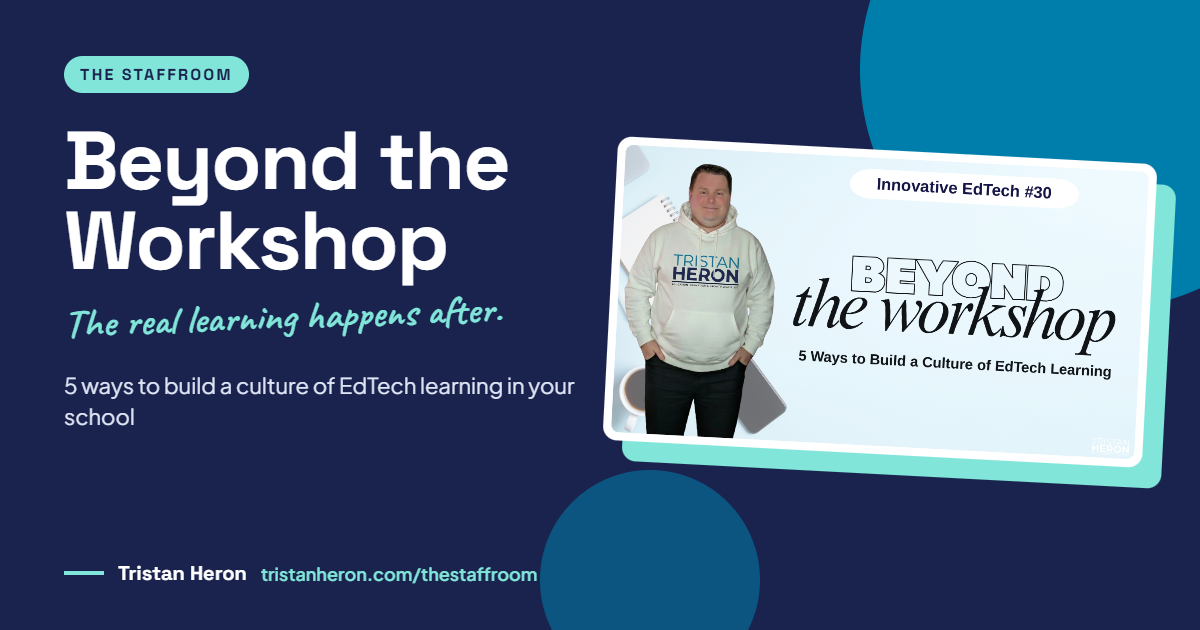
How to Build a Culture of EdTech Learning in Your School: 5 Ways to Go Beyond the Workshop
We've all sat through the PD session. Great ideas, a shared folder of resources, then back to a full timetable. A month later, nobody can find the folder and nothing has changed.
The real learning happens after the workshop. Here are five practical ways to build a culture of EdTech learning in your school, using time and meetings you already have.
Quick Answer: To build a culture of EdTech learning, give staff regular, low-pressure chances to explore technology, try ideas and learn from each other as part of their normal week. Five strategies make this work: short 10-minute learning segments in existing meetings, five-minute classroom stories, learning partnerships between colleagues, a well-maintained shared resource space, and planned follow-up conversations. Start with one strategy and one real need in the next fortnight.
Prefer to watch? The full Innovative EdTech episode is above. Read on for the strategies, examples and templates you can use with your team.
What does a culture of EdTech learning look like?
A culture of EdTech learning develops when staff have regular opportunities to explore technology, try ideas and learn from each other as part of their everyday work.
I say "staff" on purpose: learning support officers (SLSOs), teacher aides and office staff use technology every day too.
Every school is different, with its own priorities, internet reliability and room to experiment. With the current media focus in Australia on digital detoxes and screen time in schools, it matters even more that professional learning stays focused on purpose: why we're using a tool, not just how.
In practice, a healthy culture of EdTech learning means:
Questions are welcome. Nobody feels silly asking, whatever their confidence level. What's obvious to you might be brand new to someone else.
Colleagues share their practice through quick demos and realistic classroom examples.
There's time to practise. Lack of time is the biggest barrier to PD that actually sticks.
Learning continues after the session. Resources are easy to find, and the team revisits what worked and what needs adjusting.
The starting point is always a shared teaching or work need, such as checking student understanding, improving feedback or simplifying planning. Not a shiny new tool.
Strategy 1: How do short, regular learning sessions build confidence?
We're busy. A 90-minute after-school session on five new tools doesn't build confidence. A 10-minute segment in an existing team, faculty or staff meeting does, especially when it happens regularly.
Each short session should:
Address one relevant need, such as checking understanding, building a digital rubric or setting up Google Classroom
Demonstrate one approach using technology staff already have, such as Google Forms or PowerPoint used more effectively
Give staff time to practise and adapt it for their own classes
Identify a next step, with a realistic chance to try it before the next meeting
A narrow focus makes learning easier to understand, practise and apply. Don't try to change the world in one session.
Example: a 10-minute exit ticket session
A colleague wants a quick way to check understanding before planning the next lesson. Here's how the 10 minutes could run:
Time | What happens |
|---|---|
1 minute | Explain the need: "I want to identify which students understood today's concept and who needs more support." |
2 minutes | Demonstrate: model a three-question exit ticket in your school's approved forms or quiz platform, show how students access it, and show where responses appear |
5 minutes | Practise: colleagues adapt the example for an upcoming lesson while you support them |
2 minutes | Next step: answer questions, agree when staff will try it, and set a follow-up chat |
Keep the teaching purpose visible throughout: how will the responses help you decide what to teach next?
To make it stick: use a predictable slot in the existing agenda, choose topics staff actually ask for, bring ready-to-adapt templates, allow for different confidence levels, and come back to it next meeting.
Strategy 2: Why do classroom stories work so well?
Classroom stories show staff how an EdTech approach could work with their students, including the challenges and adjustments along the way.
Your colleagues don't need to be technology experts to share one. A useful classroom story covers four things:
What students needed: the learning challenge behind the approach
What the teacher tried: the activity or resource and how students used it
What happened: observations, student feedback, examples, screenshots or data
What could change next time: what to keep, adapt or drop
I still ask myself those last questions every time I use a tool, even ones I've used dozens of times. What works brilliantly with one class can fall flat with the next.
Example: a five-minute classroom story on audio instructions
I'll admit this one hadn't been on my radar until I built this episode.
A colleague notices some students need instructions repeated before they can start a task. They trial a short audio explanation next to the written instructions.
The need: students keep asking for explanations already given, and need access to verbal instructions while working independently
The approach: record the explanation (audio or a quick screen recording) and post it beside the task on your learning platform, whether that's Google Classroom, Microsoft Teams or Canvas
What to share: show the written task, play a short section of the recording, and demonstrate how students access it
What to discuss: Did students use it? What questions did they still ask? What would help them start more independently?
The next adjustment: shorter recordings, step-by-step clips, or different recordings for different groups
Making classroom stories part of team learning
Keep it brief: five minutes for one activity and one example, live or recorded
Share the preparation load with the four prompts above
Welcome honest experiences. Some lessons go completely sideways, and the difficulties are part of the learning.
Make examples available afterwards
Five- to 15-minute segments in existing meetings beat asking colleagues to stay back for another hour after school.
Leading EdTech learning in your school, or want to? The Empowered Educator Hub is where we help educators build confidence with EdTech and AI, and share what they know with colleagues. Take a look at what's inside.
Strategy 3: How can learning with a colleague help?
Learning is better with someone beside you. A good partnership helps you:
Identify a shared need: a teaching or work challenge that matters to both of you
Prepare together: explore a feature, adapt a resource or plan an activity using an approved tool
Support the first attempt: talk through questions and troubleshoot as problems come up
Compare experiences: discuss what worked in each context and what to adjust
In a good partnership, everyone is a learner. A beginning teacher and a 30-year veteran bring complementary experience. So does an EdTech enthusiast paired with someone who's cautious.
Example: a shared comment bank for feedback
Two teachers want to make feedback on a recurring skill clearer and more manageable. They agree to trial a small comment bank for one upcoming task.
Choose a specific focus: one skill, such as using evidence in a paragraph or explaining mathematical reasoning
Prepare during existing planning time: write a few comments describing common strengths and practical next steps
Trial the comments: review student work and adapt each comment so the feedback stays individual
Compare experiences: Were the comments useful? How long did it take? Did students understand their next steps?
Decide what's next: keep the useful comments, revise unclear wording, or stop if it isn't working
That last option is completely fine. Sometimes the honest answer is "this didn't work", and you start fresh.
A comment bank is a starting point. Every teacher still applies professional judgment to each student's work.
To keep it manageable: pair up around a shared need, keep the trial to one activity you can use within the next fortnight (don't make it bigger than Ben-Hur), use existing planning or meeting time, agree on how to ask for help, and set a follow-up date.
Strategy 4: How do you build shared resources people actually use?
We've all heard "the resources are all in the shared drive" and never found them again.
A shared resource space lets staff revisit learning at their own pace, and gives new staff a starting point. Fill it with brief how-to guides, ready-to-adapt templates, short captioned demo videos and a clear support contact. Build it on a platform staff already use, organised around tasks such as checking understanding, not around tool names.
Example: an accessible lesson presentation template
A colleague shares a guide and template to help staff create slides students can read and navigate more easily. The resource includes:
The purpose: why clear layouts, readable text and consistent formatting help students learn
An example: a sample slide with clear headings, strong colour contrast and a manageable amount of text
The template itself, with worked examples
Brief instructions: short guides or captioned recordings on layouts, alternative text for images and checking reading order
Support and currency: a contact person, plus the date it was created and last checked
Staff should be able to find it, understand its purpose and adapt it without repeating the whole workshop.
Keeping shared resources useful
A shared space needs regular attention so staff can trust it. Use clear, consistent titles. Add resources for the questions staff keep asking. Test links and sharing permissions. Move outdated material to an archive rather than deleting it (education ideas have a habit of coming back around). And agree who maintains each section and when it gets reviewed.
Strategy 5: Why does follow-up matter so much?
Without follow-up, good ideas quietly die on the operating table.
A follow-up conversation lets staff reflect on what they tried, get further support, and decide whether an EdTech approach is worth continuing. And sometimes it isn't. Not every tool suits every context, and that's a legitimate outcome.
Useful follow-up questions:
What did you try? Describe the activity and approach.
What did you notice? Student responses, changes to workflow, difficulties.
What helped you judge its usefulness? Student work, feedback, time involved, how independently the task was completed.
What will you do next? Keep, adapt, stop, or ask for more support.
Agree on a follow-up date when you first introduce the learning. A brief chat at the next staff meeting keeps the idea moving.
Example: reviewing a shared planning template
After a fortnight trialling a shared digital planning template, the team discusses time (quicker or slower?), ease of use (could everyone access and contribute?), usefulness (did it bring everything into one place?), workload (did it replace a process or duplicate one?) and next steps (which sections stay, change or go?).
Choose evidence that matches the purpose of the trial. A short discussion and a few examples are often enough.
Recognising contributions
Recognition shows staff that asking questions, sharing practical examples, discussing difficulties openly, supporting someone's first attempt and simplifying a process all count as contributions to team learning.
Keep recognition specific and considerate. A brief thank you or a "here's what we learnt" moment goes a long way. Always check before sharing someone's experience publicly, and keep names or classes out of it if they'd prefer.
How do you get started this fortnight?
Choose one approach to try in the next fortnight. Start with a need you already have and an opportunity that fits your working week.
It could be as simple as this:
At our next faculty meeting, I'll invite a colleague to share a five-minute example of how they use technology to support student feedback. We'll share their resource afterwards and revisit it at the following meeting.
Plan it with three questions:
What would help you or your colleagues? Identify a specific teaching challenge or task.
What small action will you take, and with whom? Keep it achievable with the time and resources you have.
When will you check in? Set a date to discuss what happened and decide what's next.
One useful idea. One realistic chance to try it. One conversation afterwards.
Key Takeaways
EdTech learning culture is built week by week, not in one-off workshops.
Short sessions, classroom stories and learning partnerships fit inside time you already have.
Shared resources need maintaining to stay trustworthy.
Follow-up keeps ideas alive, and gives permission to drop what doesn't work.
Start with one strategy and one real need in the next fortnight.
Ready to lead EdTech learning with confidence?
You don't need to be the school's tech expert to start building this culture. You need one useful idea, a little time, and some support behind you.
The Empowered Educator Hub is our monthly membership academy, with courses, resources and practical support to help you feel confident with EdTech and AI, and to share your knowledge and expertise with your colleagues.
Join the Empowered Educator Hub: www.tristanheron.com/hub
Catch every episode of Innovative EdTech on YouTube, and join us live for Episode 31, Digital Memories: Tech Projects to Celebrate the School Year, on 7 December 2026 at 7pm AEDT. Details at tristanheron.com/events. More practical posts live in The Staffroom.
Frequently Asked Questions
What is a culture of EdTech learning?
It's when staff have regular opportunities to explore technology, try ideas and learn from each other as part of their everyday work, rather than relying on occasional one-off workshops.
How long should an EdTech PD session be?
Short and regular works best. A 10-minute segment in an existing team, faculty or staff meeting, focused on one need and one approach, builds more confidence over time than a long after-school session.
How do I get reluctant colleagues involved in EdTech learning?
Start with a real teaching or work need they already have, use tools they already know, and make questions genuinely welcome. Classroom stories from colleagues, including what didn't work, are often more persuasive than any demo.
Do I need to be an EdTech expert to lead professional learning?
No. Anyone can share a five-minute classroom story or set up a learning partnership. Being honest about what you're still working out often helps colleagues feel more comfortable trying something new.
How do you make EdTech professional development stick?
Agree on a follow-up date when you introduce the learning, keep resources easy to find and up to date, and revisit the idea at the next meeting to decide whether to keep, adapt or stop it.
What's the one strategy you'll try with your team this fortnight? Tell me in the comments.
Tristan